 English
 Chinese (Simplified)
 French
 German
 Italian
 Japanese
 Russian
 Spanish
 Vietnamese

Account Manager stuck in Loading...
-
Hello,
After upgrading to version 25.0.2, Account Manager no longer opens in Remote Admin, the window is stuck in Loading...
Any idea for a solution?
Thank you!
-
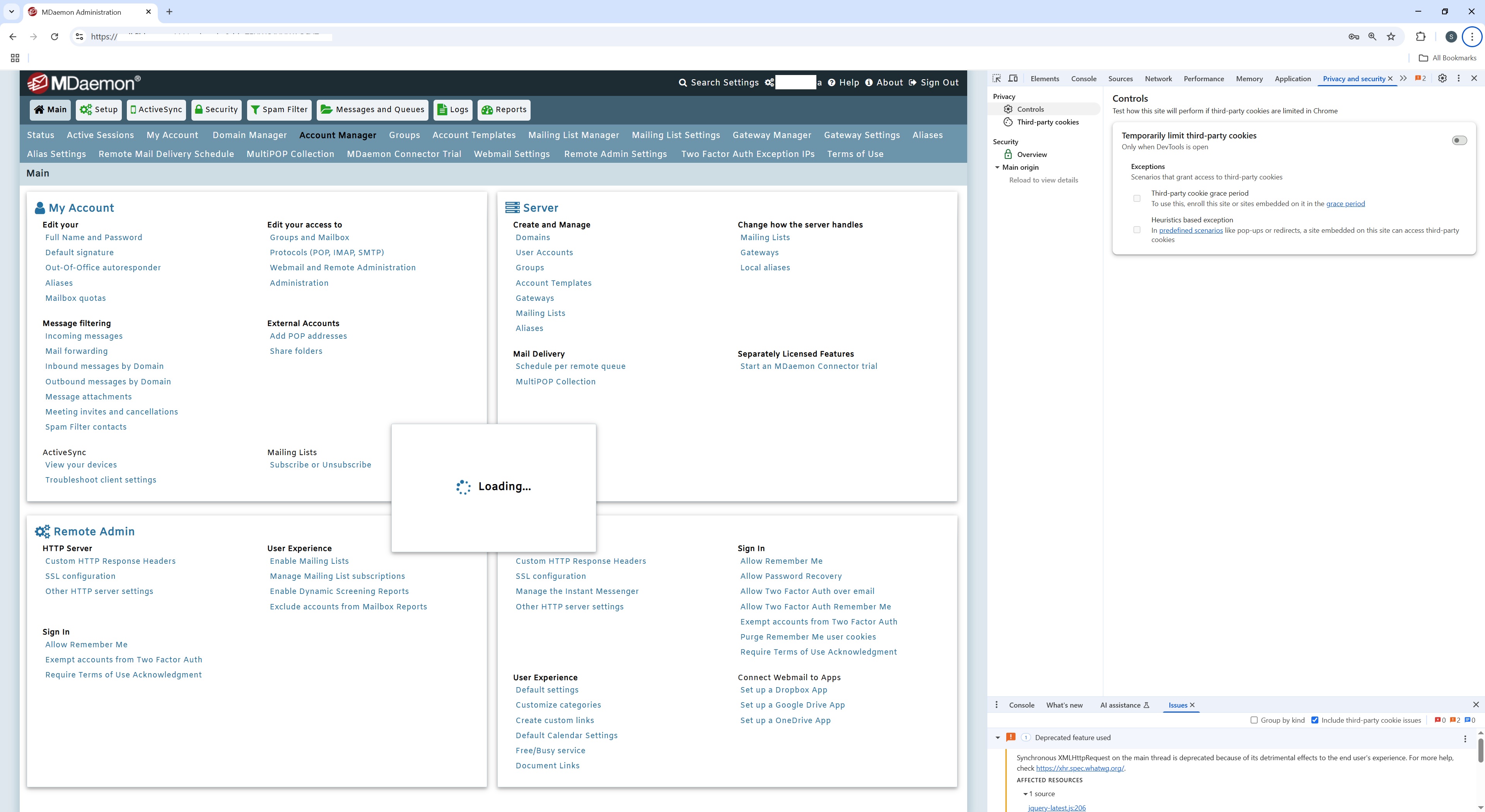
Can you post a screen shot of what happens when you try to open the Account Manager?
Are you going to Main / Account Manager to open it?
Have you cleared the browser cache?
What browser are you using? Does the same issue occur with a different browser?
If you open the developer tools console, in Chrome press CTRL+SHIFT+J and then try to open the Account Manager, are there any errors logged?
-
Yes, Main/Account Manager
I used Chrome, but the same issue with Edge,
No error was logged!
Thank you!
-
The screen shot does not show the console tab of the developer tools, can you confirm that there is nothing listed on the console tab and that you opened the console and then clicked Main / Account Manager?
Can you also post a screen shot of the Network tab of the developer tools in chrome?
Can you also confirm that you have cleared the browser cache?
Are there any errors in the Webadmin-WDaemon, WebAdmin, or WebAdmin-HTTP logs? Can you upload the logs to us?
Can you also upload a copy of your MDaemon\app\userlist.dat file?
https://mdaemon.sharefile.com/r-rc3922c1eed334d4dbf5e34f0bd04ccd6
Be sure to click the upload button after select the files and please let us know the name of the file(s) you upload.
-
Yes, I can confirm that nothing is listed in the console tab;
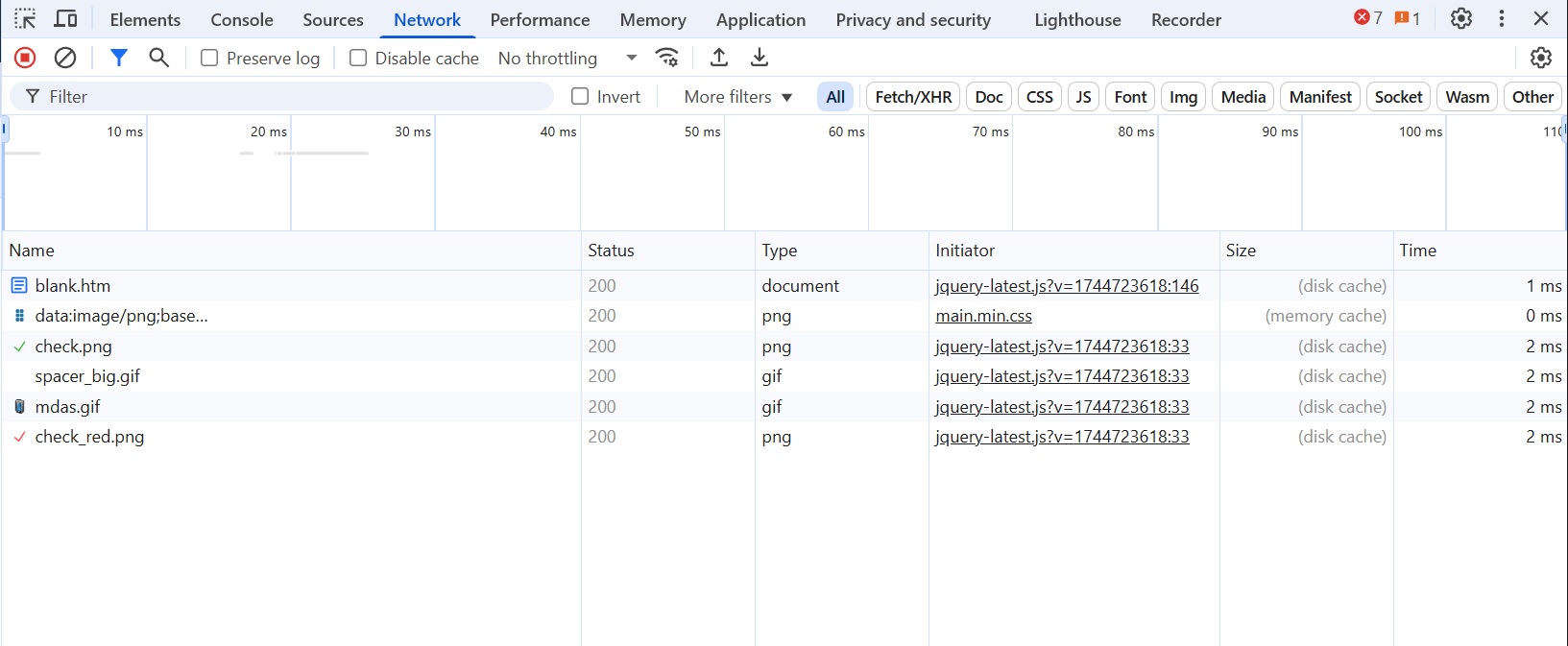
I have attached a printscreen of the network tab;
I left the window open, with the Loading... message working, and finally Account Manager opened after exactly 9 minutes and 15 seconds!!!???
No errors appeared in any of the WebAdmin logs.
Unfortunately I cannot upload the file userlist.dat, it contains a lot of personal data.
Thank you!
-
Can you confirm that the network tab was opened prior to clicking on the account manager and that the screen shot was taken after the loading of the account manager completed? The contents of the screen shot of the Network tab do not look like .
Also, the sceen shot shows there are 7 errors. It would be helpful to know what the errors are, which you should be able to find by clicking on the console tab.
Screen shots of both tabs after the account manager has loaded would helpful.
How many acccounts are configured in MDaemon?
How many domains are configured in MDaemon?
If you go to Main | Remote Admin Settings, in the Page Settings tile, what do you have set for "Number of lines displayed per page?"
Can you upload the WebAdmin logs for the time period when the account manager was loaded after 9 minutes and 15 second?
-
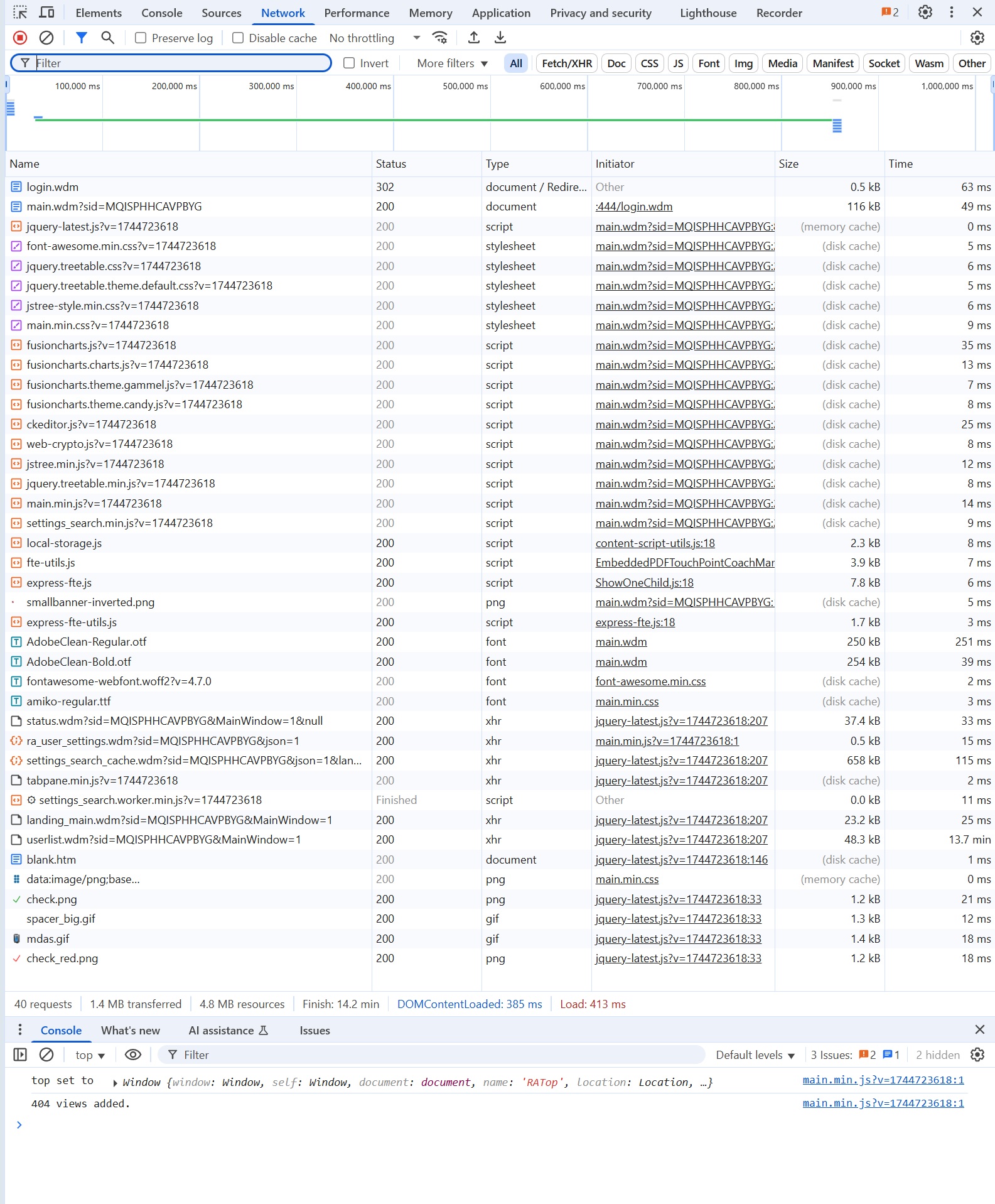
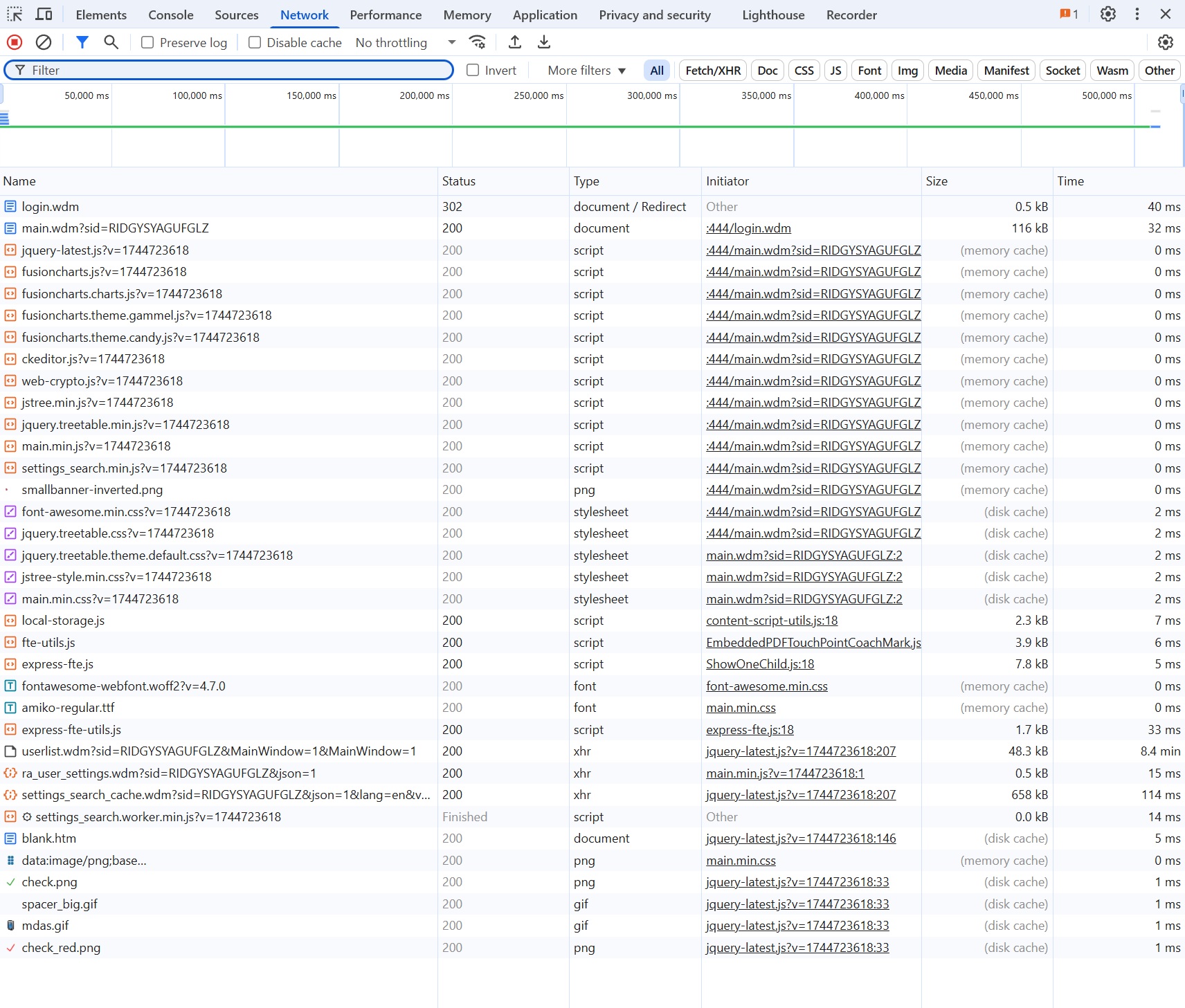
Theoretically yes, the network tab was opened before opening Account manager and I took the screenshot after it opened, but, to be safe, I opened it again and timed it.
This time it took about 13 minutes, there are no more errors.
I opened it again, it timed out, and it took about 8 min.In Mdaemon there are currently 8392 users.
There are 138 domains, but not all of them have users, so with more than 1 user, I think there are a maximum of 10 domains
Number of lines displayed per page is set to 50No error in any WebAdmin logs
-
We have found the issue and are working on a resolution.
-
We have fixed this for the next version of MDaemon. If you'd like the fix now you can download the WebAdmin.dll from https://mdaemon.sharefile.com/public/share/web-sdcafb10a7ba44de284eb137f4347bbe9 and place it in your MDaemon\WebAdmin\Templates directory. Be sure to backup the existing file before you replace it.
Then restart MDaemon Remote Administration.
Let us know if you are still having issues after putting the new file in place.
-
Thank you very much for the quick solution, I tested it and it works.
The times obtained, I tested several sessions, are between 35 and 47s.
Even before the upgrade it didn't open instantly, starting from a few versions ago, but I never calculated the time.
Thank you,
Ilie
