 English
 Chinese (Simplified)
 French
 German
 Italian
 Japanese
 Russian
 Spanish
 Vietnamese

Using ELK to implement visualization by calling MDaemon API interface through Python script
-
- Through the MDaemon email server API(API Version: 25.0.2), log downloads are implemented and linked to ELK visualization display
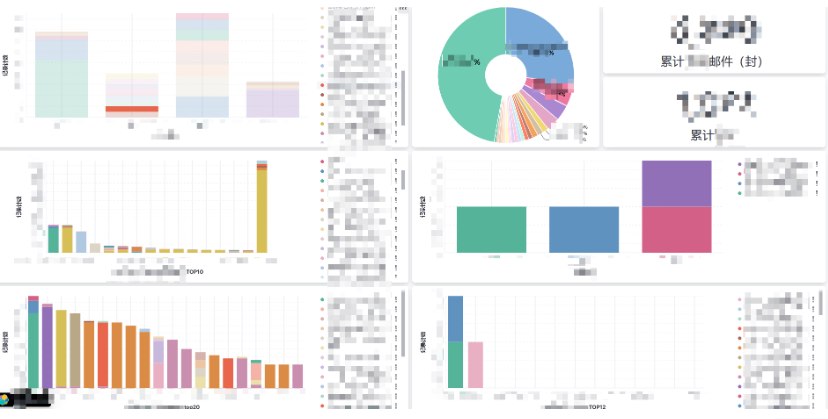
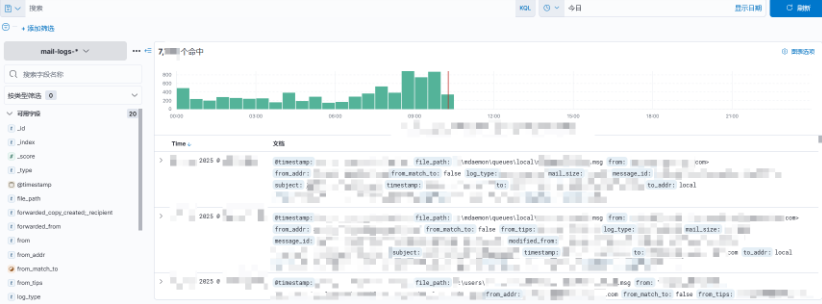
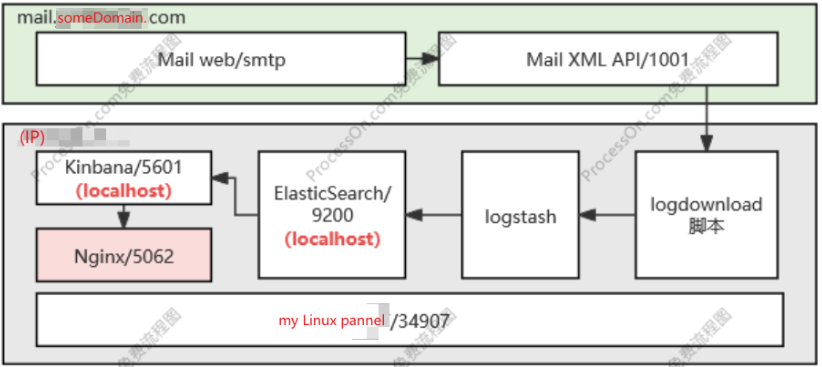
- Configure config/config.ini
- Ensure that the two XML format contents under config are compatible with the currently used MD API interface (e.g. API Version: 25.0.2)
- Test 4 core modules, file_2json, file_unzip, fileManager in the 'util' folder, as well as the main.py in root path
- Most of the libraries used are basic Python libraries. If there are any missing ones, please install them using methods such as "pip install"
- At this point, the deployment of the logdownload section is complete(By default, it is downloaded every 5 minutes. To do so, it should be placed on line 90 of main. py, in seconds)
- Next, configure ELK (ElasticSearch/Logstash/Kibana), refer to:https://blog.csdn.net/fu_sheng_q/article/details/135215027
- Key step: (The monitoring path of the log, line 3; ES address, line 41)Configure the logstash configuration file to enable it to parse the JSON fields of the downloaded logs and formatted them properly. Please refer to the example template for reference
- After completing everything, you will receive an MD+log_rownload+ELK; Have fun!
- I just downed a "routing.log", and others followed the same routine;
- Alarm? None; There can also be;
- Disposal? None; There can also be;
- Equipment linkage? None; There can also be;
# 核心功能验证:下载密文routing日志(返当日日志文件id号,下载结果)
python util\fileManager.py
# 核心功能验证:密文routing日志转明文
python util\file_2json.py
# 核心功能验证:明文routing日志转json
python util\file_2json.py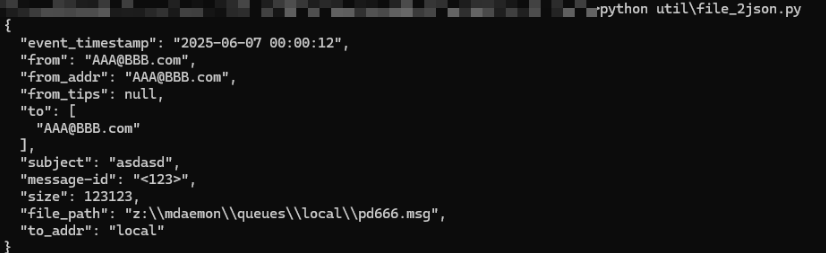
# 核心功能验证:整体调用
python main.py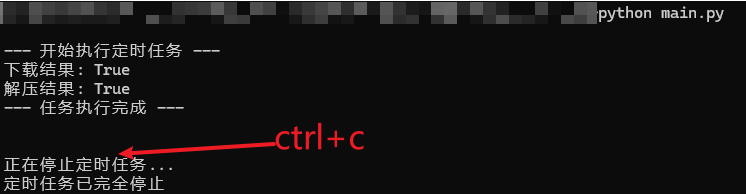
Please login to reply to this topic!
