| Server |
From |
To |
Protocol |
Port |
Notes |
| Email |
Internet |
SecurityGateway Server |
TCP |
25 |
Standard port for SMTP mail traffic. Required for SecurityGateway to receive email directly from the Internet. |
| Email |
SecurityGateway Server |
Internet |
TCP |
25 |
Standard port for SMTP mail traffic. Required for SecurityGateway to send email to the internet. |
| Email |
Clients |
SecurityGateway Server |
TCP |
25 |
Standard port for SMTP mail traffic. Only needed if you want to allow clients to send directly to SecurityGateway on port 25 (587 or 465 are preferred for this). Most of the time clients are configured to send to the mail server and the mail server sends to SecurityGateway. |
| Email |
Domain Mail Servers |
SecurityGateway Server |
TCP |
25 |
Standard port for SMTP mail traffic. Required for domain mail servers to send to SecurityGateway on port 25 (587 or 465 are preferred for this). |
| Email |
SecurityGateway Server |
Domain Mail Servers |
TCP |
25 |
Standard port for SMTP mail traffic. Required for SecurityGateway to send to domain mail servers on port 25 (587 or 465 are preferred for this). |
| Email |
Internet |
SecurityGateway Server |
TCP |
587 |
Standard port for MSA traffic. Email clients can use this port when sending email to SecurityGateway. Authentication is required. Only required if you want email clients to be able to send directly to SecurityGateway. Most customers configure email clients to send to the mail server. |
| Email |
Clients |
SecurityGateway Server |
TCP |
587 |
Standard port for MSA traffic. Email clients can use this port when sending email to SecurityGateway. Authentication is required. Only required if you want email clients to be able to send directly to SecurityGateway. Most customers configure email clients to send to the mail server. |
| Email |
Domain Mail Servers |
SecurityGateway Server |
TCP |
587 |
Standard port for MSA traffic. Email clients can use this port when sending email to SecurityGateway. Authentication is required. Only required if you want domain mail servers to be able to send directly to SecurityGateway on port 587. |
| Email |
SecurityGateway Server |
Domain Mail Servers |
TCP |
587 |
Standard port for MSA traffic. Authentication is required. Only required if you want SecurityGateway to be able to send to domain mail servers on port 587. |
| Email |
Clients |
SecurityGateway Server |
TCP |
465 |
Standard port for SSL SMTP traffic. Can be used for clients sending mail to SecurityGateway. Only required if you want email clients to be able to send directly to SecurityGateway. Most customers configure email clients to send to the mail server. |
| Email |
Internet |
SecurityGateway Server |
TCP |
465 |
Standard port for SSL SMTP traffic. Can be used for clients sending mail to SecurityGateway. Only required if you want email clients to be able to send directly to SecurityGateway. Most customers configure email clients to send to the mail server. |
| Email |
Domain Mail Servers |
SecurityGateway Server |
TCP |
465 |
Standard port for SSL SMTP traffic. Can be used for clients sending mail to SecurityGateway. Only required if you want domain mail servers to be able to send directly to SecurityGateway on port 465. |
| Email |
SecurityGateway Server |
Internet |
TCP |
110 |
Standard port for POP3 mail traffic. Required if you want to collect mail from a third party using Remote POP Accounts |
| Email |
SecurityGateway Server |
Internet |
TCP |
995 |
Standard port for Secure POP3 mail traffic. Some third party mail providers require the use of port 995 when using Remote POP Accounts |
| DNS |
SecurityGateway Server |
DNS Server |
UDP |
53 |
Required for SecurityGateway to complete DNS lookups |
| User Verification Sources |
SecurityGateway Server |
MDaemon |
UDP |
4069 |
Custom port used for Minger lookups to MDaemon. Required if you are using Minger as a User Verification Source. |
| User Verification Sources |
SecurityGateway Server |
Domain Controller/LDAP Server |
TCP |
389 |
Standard LDAP port. Used to query LDAP or ActiveDirectory when you have an LDAP or ActiveDirectory/Exchange user verification source configured. |
| User Verification Sources |
SecurityGateway Server |
MDaemon |
TCP |
444 |
Custom port used for secure communication with MDaemon's XML API. Required if you have an MDaemon (XML API) user verification source configured. |
| User Verification Sources |
SecurityGateway Server |
Microsoft Servers |
TCP |
443 |
Required for Microsoft 365 User Verification Sources. List URLS that it uses here… |
| User Interface |
Clients |
SecurityGateway Server |
TCP |
4000 |
Default HTTP port for the SecurityGateway User Interface. This should only be used if you are redirecting HTTP to HTTPS |
| User Interface |
Internet |
SecurityGateway Server |
TCP |
4000 |
Default HTTP port for the SecurityGateway User Interface. This should only be used if you are redirecting HTTP to HTTPS |
| User Interface |
Clients |
SecurityGateway Server |
TCP |
4443 |
Default HTTPS port for SecurityGateway User Interface. |
| User Interface |
Internet |
SecurityGateway Server |
TCP |
4443 |
Default HTTPS port for SecurityGateway User Interface. |
| Server |
SecurityGateway Server |
services.mdaemon.com |
TCP |
443 |
license requests, Install Survey, Registration Info, eM Client licenses |
| Server |
SecurityGateway Server |
files.mdaemon.com |
TCP |
443 |
Update Checker |
| Server |
SecurityGateway Server |
login.microsoftonline.com |
TCP |
443 |
OAUTH with Microsoft |
| Server |
SecurityGateway Server |
publicsuffix.org |
TCP |
443 |
Download a list of public suffixes used by DMARC |
| Server |
SecurityGateway Server |
Internet |
TCP |
443 |
Download MTA-STS policies |
| Server |
SecurityGateway Server |
Internet |
TCP |
443 |
Upload TLS Reports |
| Server |
SecurityGateway Server |
stats.mdaemon.com |
TCP |
443 |
Upload anonymous statistical data |
| Server |
SecurityGateway Server |
api.pwnedpasswords.com |
TCP |
443 |
Check for compromised passwords |
| Server |
SecurityGateway Server |
AI Provider |
TCP |
443 |
AI Classification requires HTTPS access to the third party provider you are using. |
| AntiVirus |
SecurityGateway Server |
updates.ikarus.at |
TCP |
443 |
Download virus definition updates for IKARUS |
| AntiVirus |
SecurityGateway Server |
database.clamav.net |
TCP |
443 |
Download virus definition updates for ClamAV |
| Outbreak Protection |
SecurityGateway Server |
ctmail.com |
TCP |
80 |
Used by Outbreak Protection. Traffic is encrypted with proprietary encryption. It uses the following hosts:
resolver1-mdaemon.ctmail.com
resolver2-mdaemon.ctmail.com
resolver3-mdaemon.ctmail.com
resolver4-mdaemon.ctmail.com
resolver5-mdaemon.ctmail.com
resolver6-mdaemon.ctmail.com
resolver7-mdaemon.ctmail.com
resolver8-mdaemon.ctmail.com
resolver9-mdaemon.ctmail.com |
| SpamAssassin |
SecurityGateway Server |
SpamAssassin Update Server |
TCP |
443 |
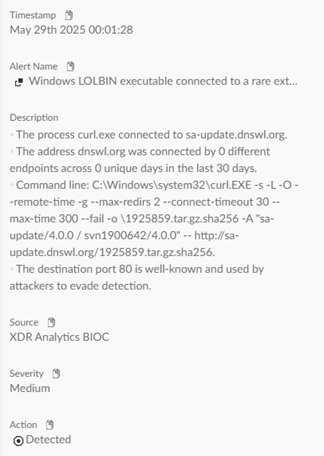
Download updates for SpamAssassin rules. Check https://sa-update.spamassassin.org/MIRRORED.BY for the full list of servers that will be used. |
| Let's Encrypt |
Let's Encrypt Servers |
SecurityGateway Server |
TCP |
80 |
Used by Let's Encrypt to complete HTTP-01 challenges. It can be redirected to port 443. They do not publish IP ranges for the ACME service and they change without notice |
| Let's Encrypt |
Let's Encrypt Servers |
SecurityGateway Server |
TCP |
443 |
Used by Let's Encrypt to complete HTTP-01 challenges. They do not publish IP ranges for the ACME service and they change without notice |
| Let's Encrypt |
SecurityGateway Server |
Let's Encrypt Servers |
TCP |
443 |
Used to communiate with Let's Encrypt. The current hostnames are:
acme-v02.api.letsencrypt.org
acme-staging-v02.api.letsencrypt.org |
 English
 Chinese (Simplified)
 French
 German
 Italian
 Japanese
 Russian
 Spanish
 Vietnamese